NEW#1 Best Value Helpdesk Software — Cloud & Self-Hosted

SafariDesk turns every customer support request — from email, web portal
... into a tracked, prioritized, and manageable ticket.

Help Desk tool for

🖥️ Self-Hosted — You host it on your own server. $299/year.
☁️ Cloud-Hosted — We host it for you. From just $86/year.
30-day free trialNo credit card required
SLA controls built-inNo extra cost or add-ons
Cloud & self-hostedDeploy how your team needs to
Open sourceYour infrastructure, your control
Modern Support Capabilities

AI-Powered Support for the Modern Team

From multi-channel intake to AI automation and actionable insights — all in one unified workspace that scales with your team.

Explore All Features
Core

Multi-Channel Inbox

Connect every customer channel into one AI-powered shared inbox with intelligent routing and automated workflows.

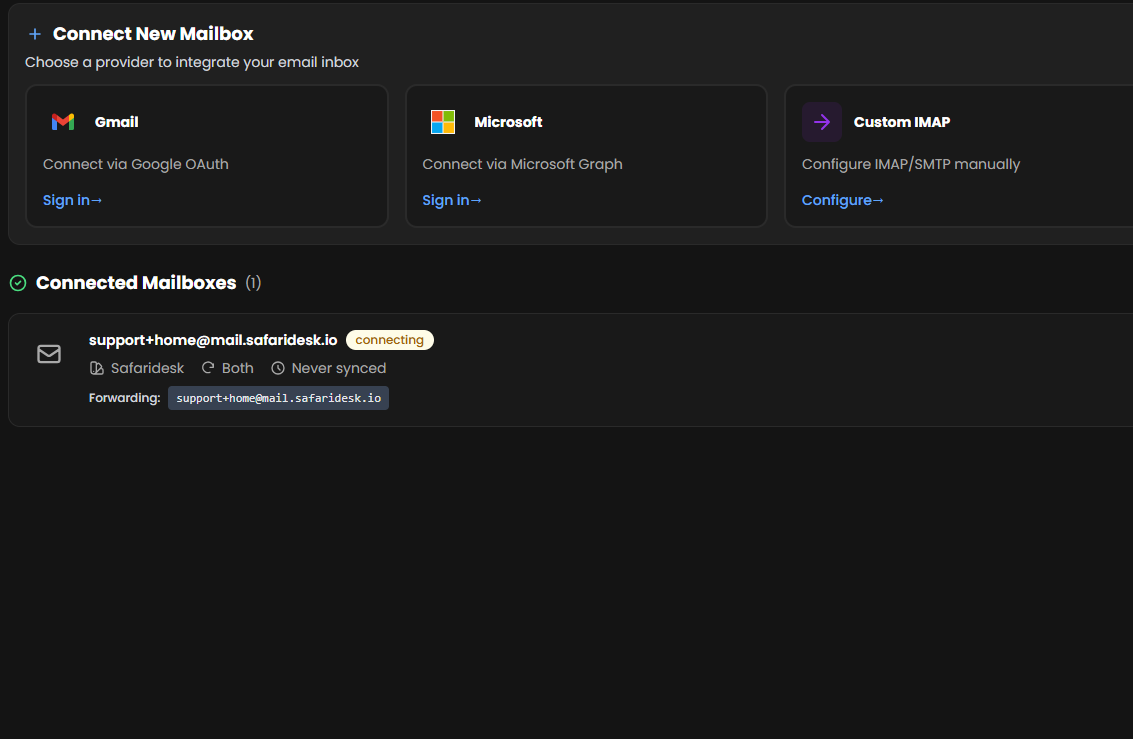
  • Email (Gmail, Outlook, custom IMAP)
  • SMS
  • Whatsapp
  • Slack, Teams, and Telegram
  • AI chatbot self-service intake
See it in action
AI Automation

Intelligent Workflows

AI-powered automation that routes, categorizes, and resolves tickets while enforcing SLAs and escalating when needed.

  • AI Copilot with reply suggestions
  • Smart ticket routing & categorization
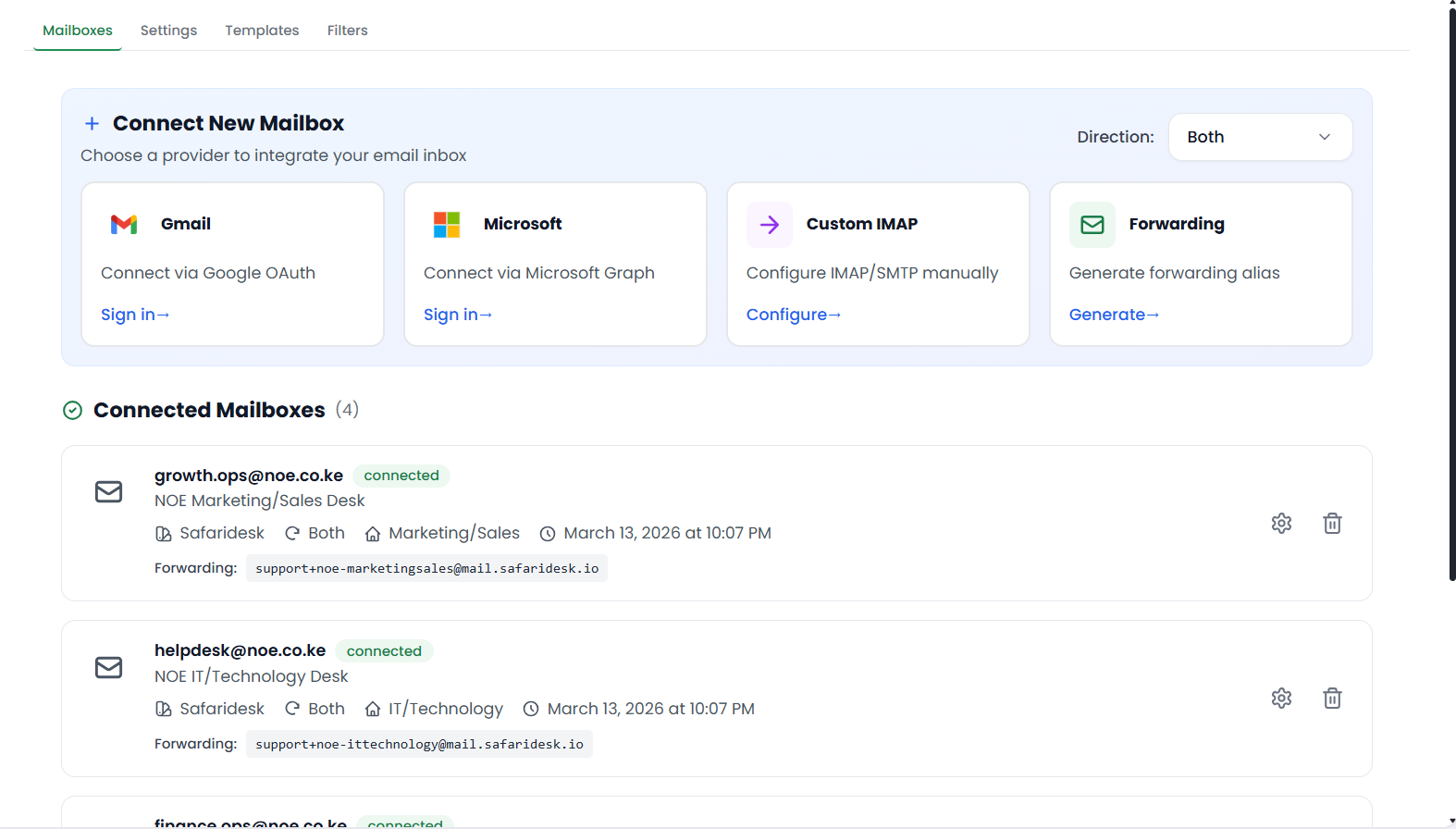
  • Automated SLA tracking & escalation
  • AI Knowledge Base auto-learning
  • Rules-based workflow automation
Demo with sales
Collaboration

Team & Customer Experience

Seamless collaboration with internal notes, tasks, and a customer portal that delivers self-service and satisfaction tracking.

  • Shared inbox with team visibility
  • Internal notes & task management
  • Customer portal with magic-link access
  • CSAT surveys & feedback tracking
  • Real-time notifications & alerts
Browse all features

…and everything else you need

Multi-Channel Inbox

  • Shared Inbox
  • Email-to-Ticket Intake
  • Web Form Ticket Creation
  • Duplicate Ticket Merging
  • SMS & WhatsApp Integration
  • Slack & Teams Integration

AI-Powered Automation

  • AI Copilot Suggestions
  • Smart Ticket Routing
  • Automation Rules
  • SLA Tracking & Alerts
  • Escalation Workflows

Team Collaboration

  • Ticket Ownership
  • Team Permissions
  • Internal Notes
  • Task Management
  • AI-Assisted Workflows

Customer Experience

  • Knowledge Base
  • Customer Portal
  • CSAT Tracking
  • AI Chatbot
  • Multi-channel Support

Insights & Reporting

  • Performance Analytics
  • Custom Dashboards
  • Agent Productivity
  • Resolution Metrics
  • AI-Powered Insights

Deployment Flexibility

  • Cloud Hosted
  • Self-Hosted Option
  • API Integrations
  • Custom Workflows

(without the clutter)

No CRM replacement requiredNo risky migration before trialNo bloated workflow maze
Why Teams Choose SafariDesk

The Help Desk Built for Modern Teams

Unlike legacy ticketing systems, SafariDesk combines a unified multi-channel inbox with flexible deployment — giving your team full control without the vendor lock-in.

AI Copilot for reply suggestions & smart routing

Multi-channel inbox (Email, SMS, WhatsApp, Slack, Teams)

Cloud or self-hosted deployment flexibility

Real-time collaboration with internal notes & tasks

Team collaborating on SafariDesk platform
How It Works

From ticket to resolution in 4 steps

Every request flows through a clear, repeatable process — captured, routed, resolved, and analyzed without anything falling through the cracks.
Capture Requests — Automatically convert emails, web forms, and chat messages into structured tickets with full context.
Capture Requests

Automatically convert emails, web forms, and chat messages into structured tickets with full context.

Prioritize & Route — Auto-assign tickets based on rules, SLAs, and team availability for faster response times.

Prioritize & Route

Auto-assign tickets based on rules, SLAs, and team availability for faster response times.
Collaborate & Resolve — Team members add internal notes, create tasks, and work together without confusing customers.

Collaborate & Resolve

Team members add internal notes, create tasks, and work together without confusing customers.
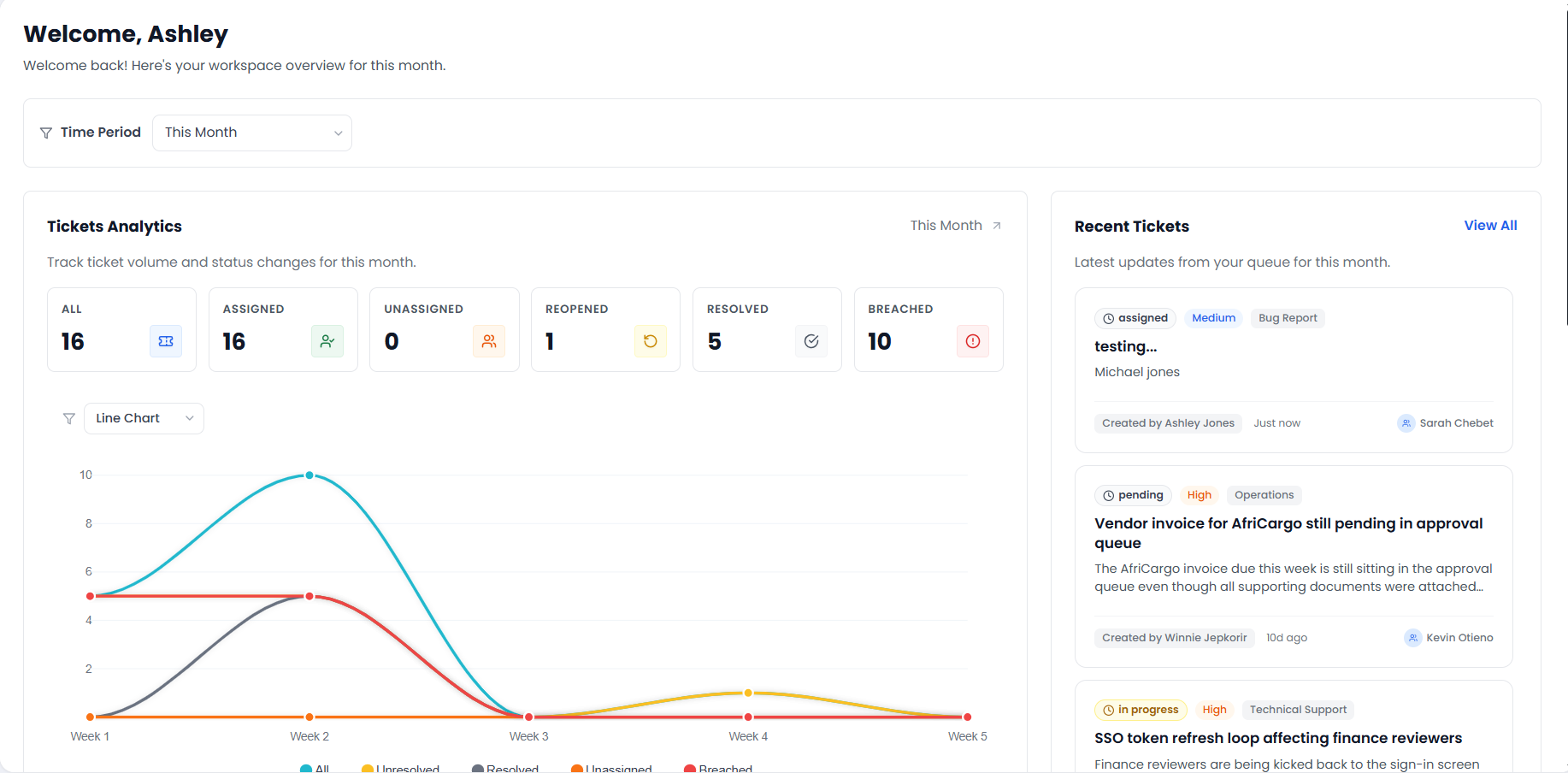
Analyze & Improve — Track performance metrics and customer satisfaction to continuously improve your support quality.

Analyze & Improve

Track performance metrics and customer satisfaction to continuously improve your support quality.

Cloud Pricing

Flexible Plans & Clear Value

Choose monthly or yearly billing for SafariDesk Cloud. Every plan includes the full platform.

Starter

1-3 support agents

$7.20 / month

$86.40 billed yearly

  • Total for team (not per-agent)
  • 30-day free trial (no credit card required)
  • Unlimited tickets and customers
  • Shared inbox for email and live chat
  • All SafariDesk features included
Most Popular

Professional

4-9 support agents

$39.20 / month

$470.40 billed yearly

  • Complete platform (no feature gating)
  • Unlimited tickets, customers, and articles
  • Shared inbox for email and live chat
  • AI automation and advanced workflows
  • 30-day free trial (no credit card required)

Enterprise

10+ support agents

$119.20 / month

$1430.40 billed yearly

  • Scale-ready for high-volume support teams
  • All platform features included
  • Shared inbox for email and live chat
  • Priority onboarding and rollout support
  • Simple monthly pricing for the whole team

30-day free trial. No credit card required.

Deployment Options

Choose Your SafariDesk Deployment

Two powerful options, one complete help desk platform. Pick the deployment model that best fits your team, budget, and infrastructure goals.

Managed ServiceHosted by SafariDesk

SafariDesk Cloud

Fully managed help desk platform hosted and maintained by the SafariDesk team.


What's Included

  • Hosting and infrastructure management
  • Automatic updates and new releases
  • Monitoring, backups, and security hardening
  • All SafariDesk features included
  • 30-day free trial with no card required
Pricing

Simple monthly team plans

From $9 / month
Start Free Trial
Ideal For

Teams that want to focus on support operations, not infrastructure maintenance.

Open SourceSelf-hosted by you

SafariDesk OS

Self-host SafariDesk on your own infrastructure with full control and optional SafariDesk support.


What's Included

  • Open-source codebase and self-hosting flexibility
  • Full control over servers, scaling, and upgrades
  • Customization and internal integrations
  • Optional SafariDesk consulting and support services
  • Compare cloud vs self-hosted on your terms
Pricing

Free software + optional paid support

Free + optional plans
Explore SafariDesk OS
Ideal For

Teams with technical resources that need infrastructure control and deep customization.

Homepage FAQs

Common Questions About SafariDesk Features

Quick answers about setup, integrations, SLAs, current-system compatibility, and support reporting.

SafariDesk is available in two deployment modes. SafariDesk Cloud is a fully managed SaaS service with a 30-day free trial and no infrastructure required. SafariDesk OS is the open-source self-hosted version — you deploy it on your own servers, VPS, or private cloud using Docker, and you own 100% of your data. Both modes include the full help desk feature set.

Yes. SafariDesk OS is an open-source self-hosted helpdesk solution you can run on any infrastructure you control — a VPS, a private cloud, or an on-premise server. You deploy with Docker Compose, configure your environment variables, and connect your own domain and SMTP provider. The codebase is publicly available on GitHub. Optional paid support and onboarding from the SafariDesk team is available if you need it.

Yes. SafariDesk OS is distributed as a Docker image and deployed via Docker Compose. The standard deployment brings up the application server, background task workers, and a PostgreSQL database in a single compose file. You can run it on any Linux server with Docker installed — no Kubernetes or complex orchestration required. The SafariDesk team provides documentation and optional consulting for self-hosted deployments.

Yes. The SafariDesk OS open-source self-hosted version is free to use forever. You pay only for your own server infrastructure. There are no per-agent or per-ticket fees. The SafariDesk team offers optional paid support plans for teams that want implementation help, SLA-backed assistance, or upgrade consulting.

Self-hosting SafariDesk makes sense when your team has specific data residency requirements, operates in a regulated industry that restricts third-party SaaS usage, needs to integrate deeply with internal systems, or wants full control over upgrades and scaling. You own your database and infrastructure with no vendor lock-in. For teams without dedicated DevOps, SafariDesk Cloud is the faster path — both options include identical help desk features.

SafariDesk includes AI Copilot for reply suggestions and smart routing, AI Chatbot for customer self-service, and AI Knowledge Base that auto-generates articles from resolved tickets.

Yes. SafariDesk supports custom domains with DNS verification (TXT/CNAME records). Businesses can run support on their own domain while keeping tenant data isolated in a multi-tenant architecture.

Yes. SafariDesk uses enterprise-grade encryption, regular backups, and security hardening. Both cloud and self-hosted options include comprehensive security features. With the self-hosted deployment, your data never leaves your own infrastructure.

In addition to email (Gmail, Microsoft 365, custom IMAP, Mailgun forwarding), SafariDesk supports SMS and WhatsApp via Twilio, plus Slack, Microsoft Teams, and Telegram integrations. All channels create tickets in the same unified queue.

SafariDesk Copilot analyzes ticket context, conversation history, and knowledge base articles to suggest replies, recommend routing, and automate repetitive actions. It learns from resolved tickets and improves over time.

Yes. The AI Chatbot is available as a self-service widget. It answers common questions from your knowledge base and creates tickets for complex issues — with full conversation context passed to the assigned agent.

Yes. SafariDesk uses OAuth2 for both Gmail and Microsoft 365. Teams can connect their mailboxes without sharing SMTP passwords, and tokens refresh automatically. Custom IMAP/SMTP is also available.

The knowledge base uses semantic search and auto-learning from resolved tickets. It identifies common solutions, generates draft articles, and surfaces relevant answers to both agents and customers.

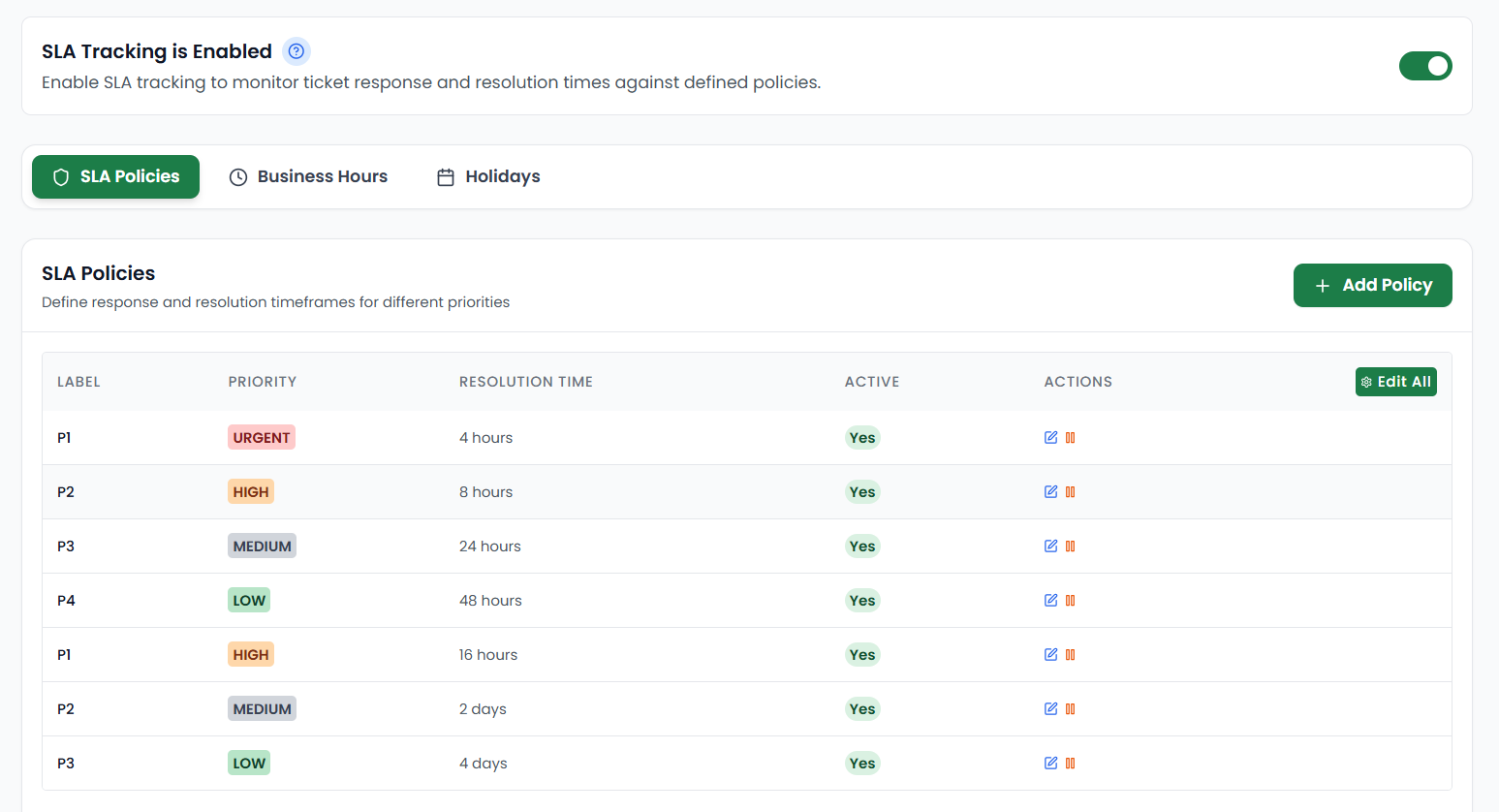
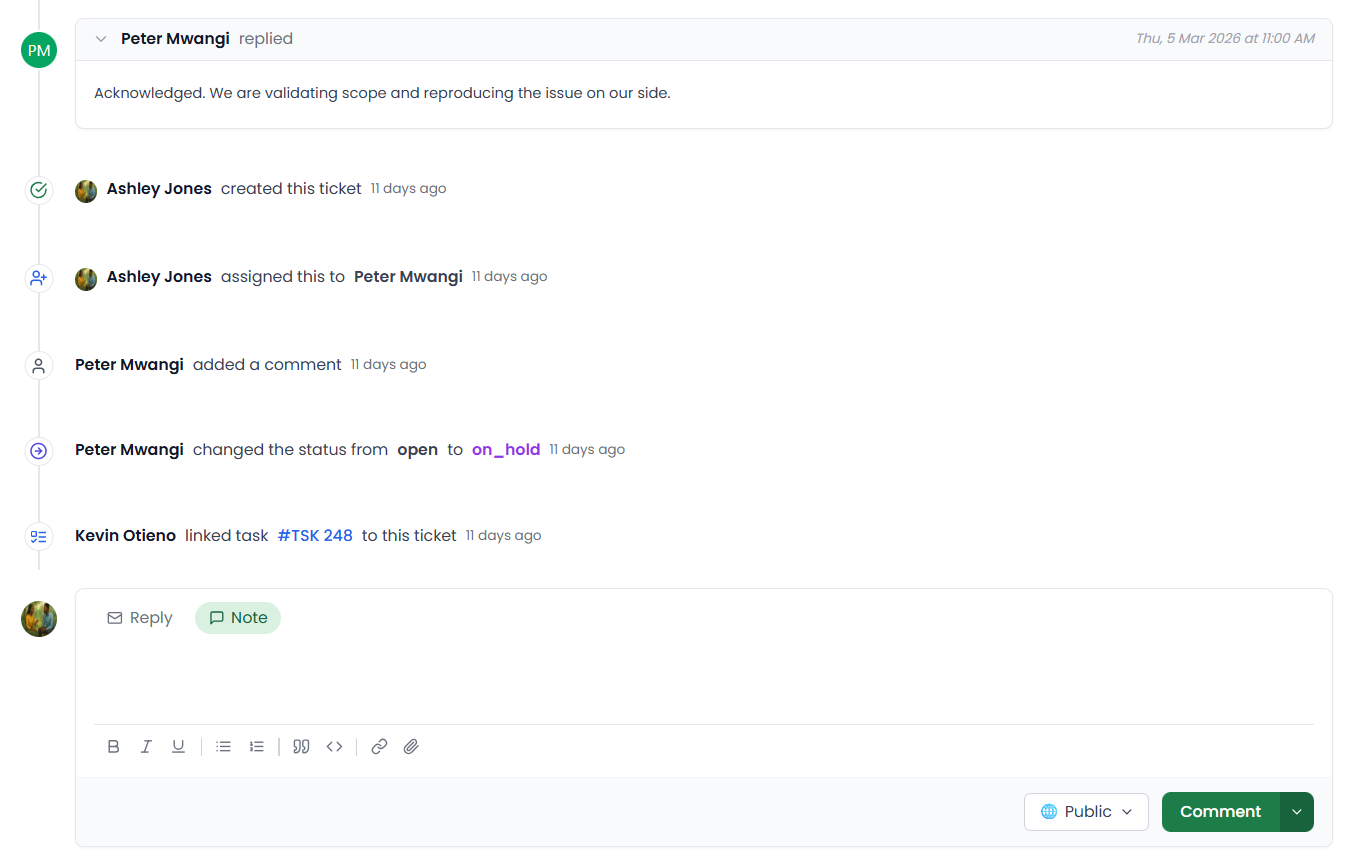
Yes. SafariDesk keeps a permanent, tamper-proof audit log of every action taken on a ticket — replies, internal notes, status changes, priority updates, and agent assignments. The audit log is searchable and displays as a chronological activity timeline on every ticket. It is available on all plans, both cloud and self-hosted.

SafariDesk's audit log gives compliance teams a complete, immutable record of every action taken across all tickets. You can pull up the full history of any issue — who replied, who changed the status, when, and what was said — without relying on memory or external logs. This makes internal reviews, escalation checks, and regulatory audits straightforward. The self-hosted deployment option (SafariDesk OS) also gives teams full data sovereignty for compliance scenarios that restrict third-party SaaS.
How We Work

Implementation and Product Roadmap Support

Instead of listing external brand logos, we focus on helping each team evaluate fit, run a clean pilot, and ship a support workflow that is reliable.

Discovery Session

We map your ticket channels, SLA requirements, and team roles before implementation starts.

Pilot Rollout

Launch with a scoped team first, validate workflows, then scale with controlled onboarding.

Optimization

Track response and resolution metrics, then refine automations, routing rules, and knowledge base coverage.

See How SafariDesk Fits Your Support Workflow

Start a free trial or talk to our team about your ticket volume, SLA requirements, and support process.