
Multi-Channel Inbox
Email (Gmail, Outlook, custom), SMS, WhatsApp, Slack, Teams, and Telegram — all create tickets from one unified queue.
Email, SMS, WhatsApp, Slack, Teams, and Telegram — all flow into one shared inbox. SafariDesk unifies every channel your customers use, with automated routing, workflow controls, and real-time team visibility.
SafariDesk is structured to help teams control incoming support work, trial safely, and improve service quality without adding operational noise.
Email (Gmail, Outlook, custom), SMS, WhatsApp, Slack, Teams, and Telegram — all create tickets from one unified queue.
Keep incoming requests, replies, notes, and ownership visible in one place instead of scattered across mailboxes and chat apps.
AI-assisted reply suggestions, smart ticket routing, and context-aware automation that helps agents resolve faster.
Set service targets, reminders, routing rules, and escalation controls. Automate status changes and assignments based on triggers.
Auto-generated articles from resolved tickets, semantic search, and self-service learning that improves over time.
Customer-facing chatbot that resolves common issues instantly and escalates complex ones to agents with full context.
Monitor response time, resolution performance, backlog, and team workload from one reporting view.
Start in SafariDesk Cloud or deploy on your own infrastructure with multi-tenant isolation and custom domain support.
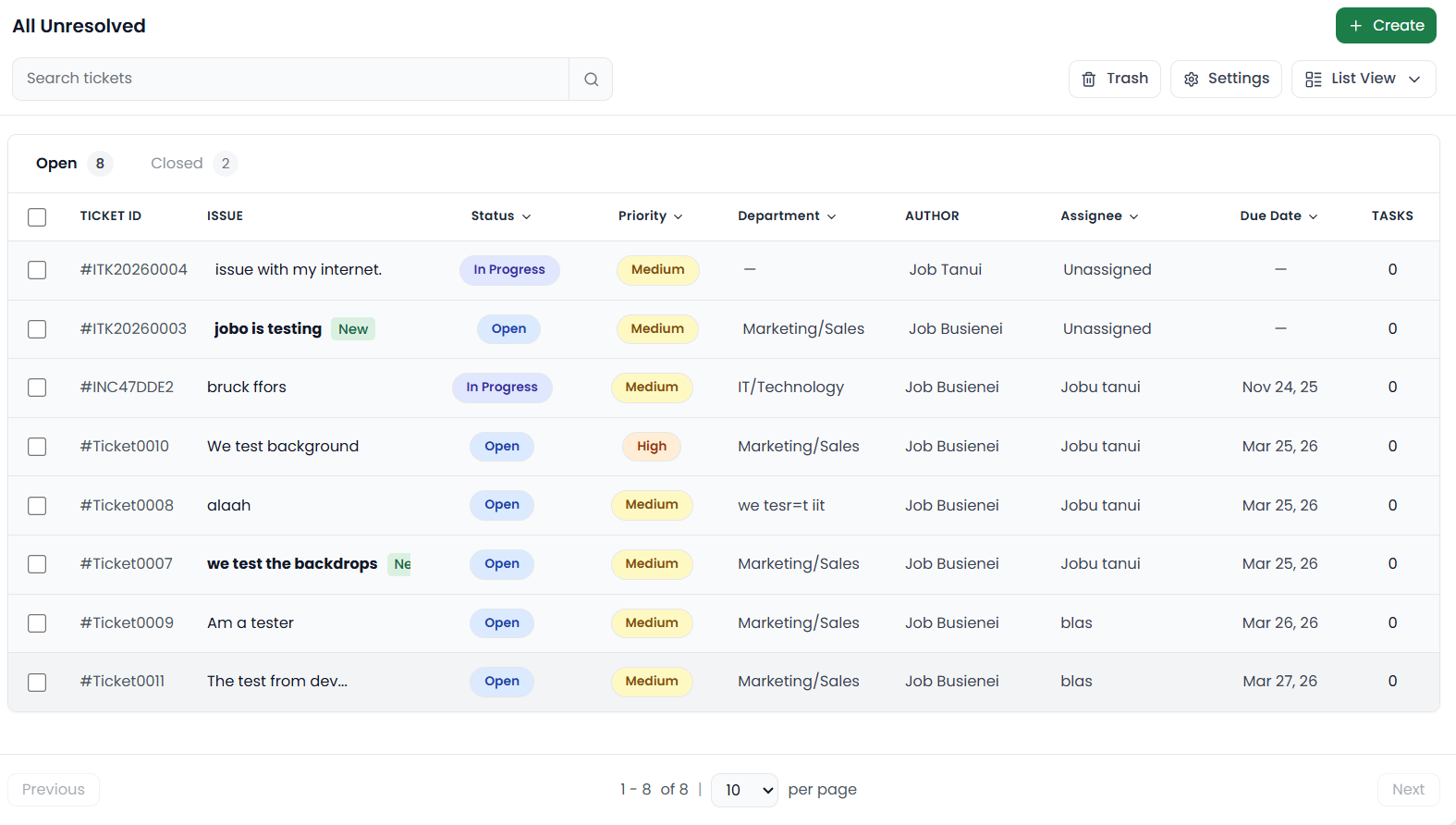
Email from Gmail and Outlook, SMS, WhatsApp messages, Slack threads, Teams conversations, and Telegram chats — all land in the same ticket queue. Agents see everything without switching tabs.
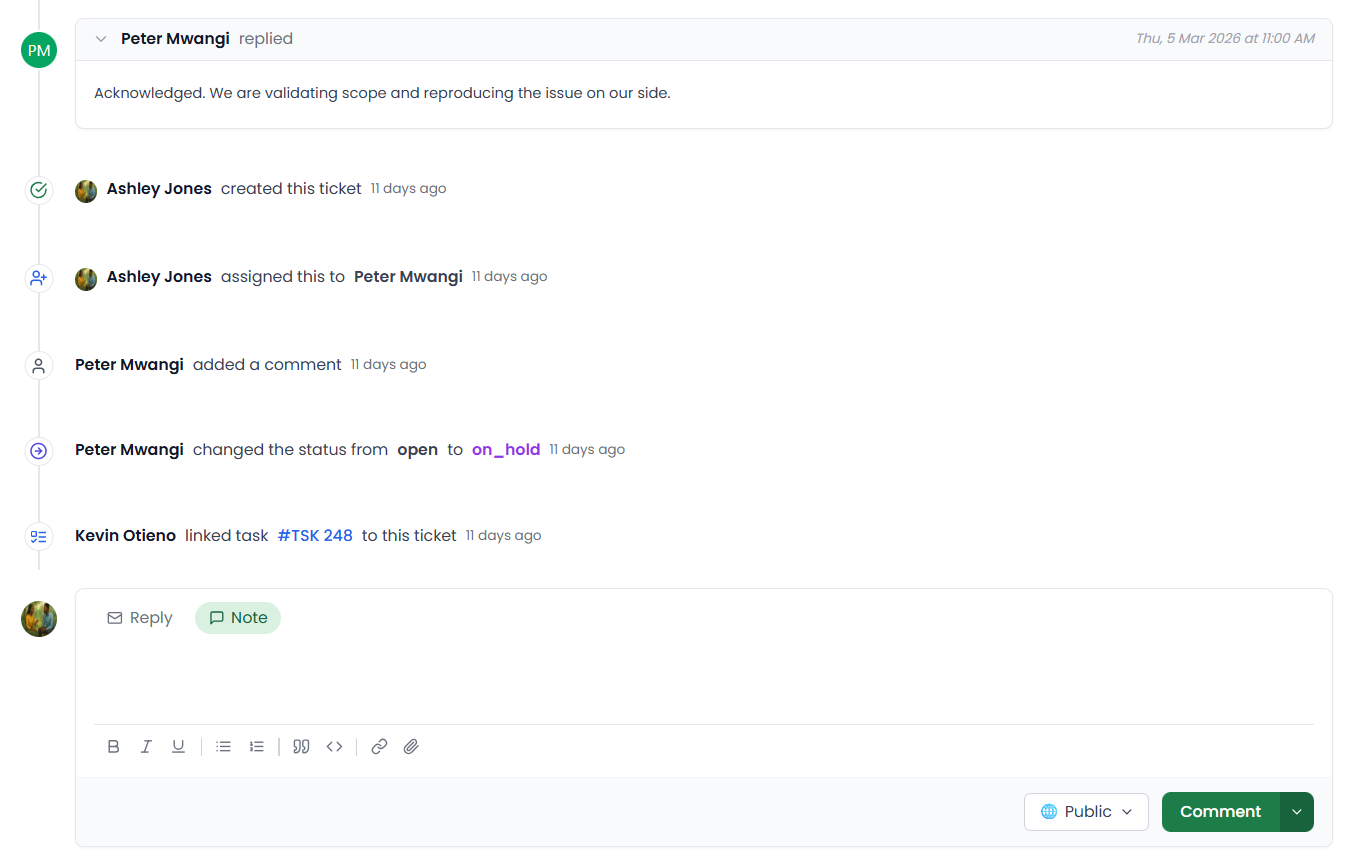
SafariDesk keeps a permanent, tamper-proof audit log of every reply, internal note, status change, and ticket assignment. You get a clean, searchable activity timeline that makes team handoffs seamless and security audits effortless.
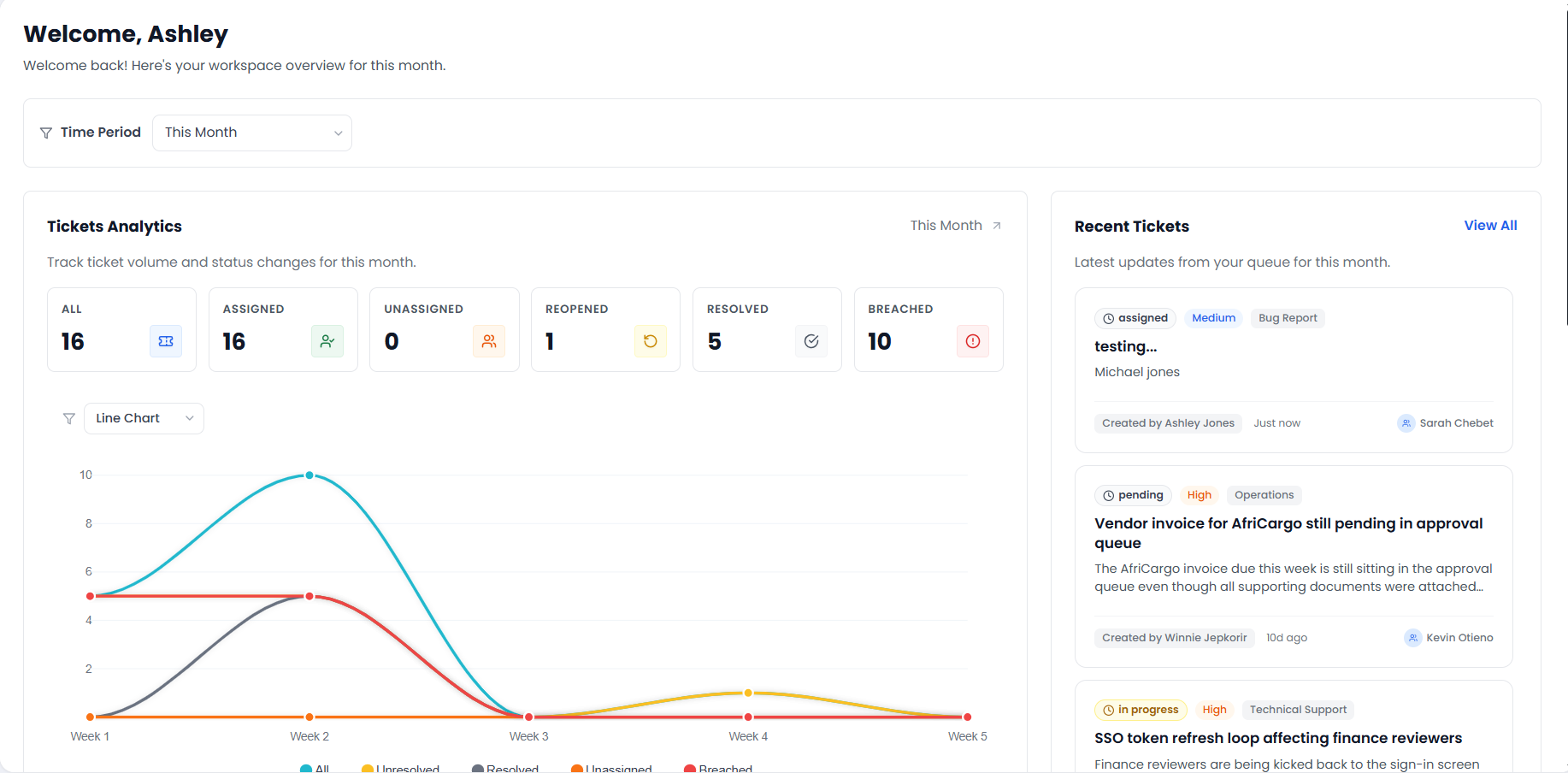
SafariDesk reporting helps teams improve response quality, resolution speed, and operational consistency by turning ticket activity into usable service data.
SafariDesk connects to every major communication channel out of the box — no separate integration fees, no middleware required.
SafariDesk includes AI-powered tools — copilot suggestions, chatbots, and self-learning knowledge base — to help teams work more efficiently without taking over.
SafariDesk Copilot analyzes ticket context, suggests replies, routes work intelligently, and automates repetitive actions so agents focus on what matters.
A customer-facing chatbot resolves common questions instantly and creates tickets for complex issues — with full conversation history attached.
Knowledge base learns from resolved tickets, generates draft articles, and surfaces relevant answers through semantic search.
Customers log in with a passwordless magic link, view their ticket history, submit requests, and rate resolutions — no account setup needed.
SafariDesk helps teams enforce response discipline, keep ownership visible, and reduce repeat work as queues get busier.
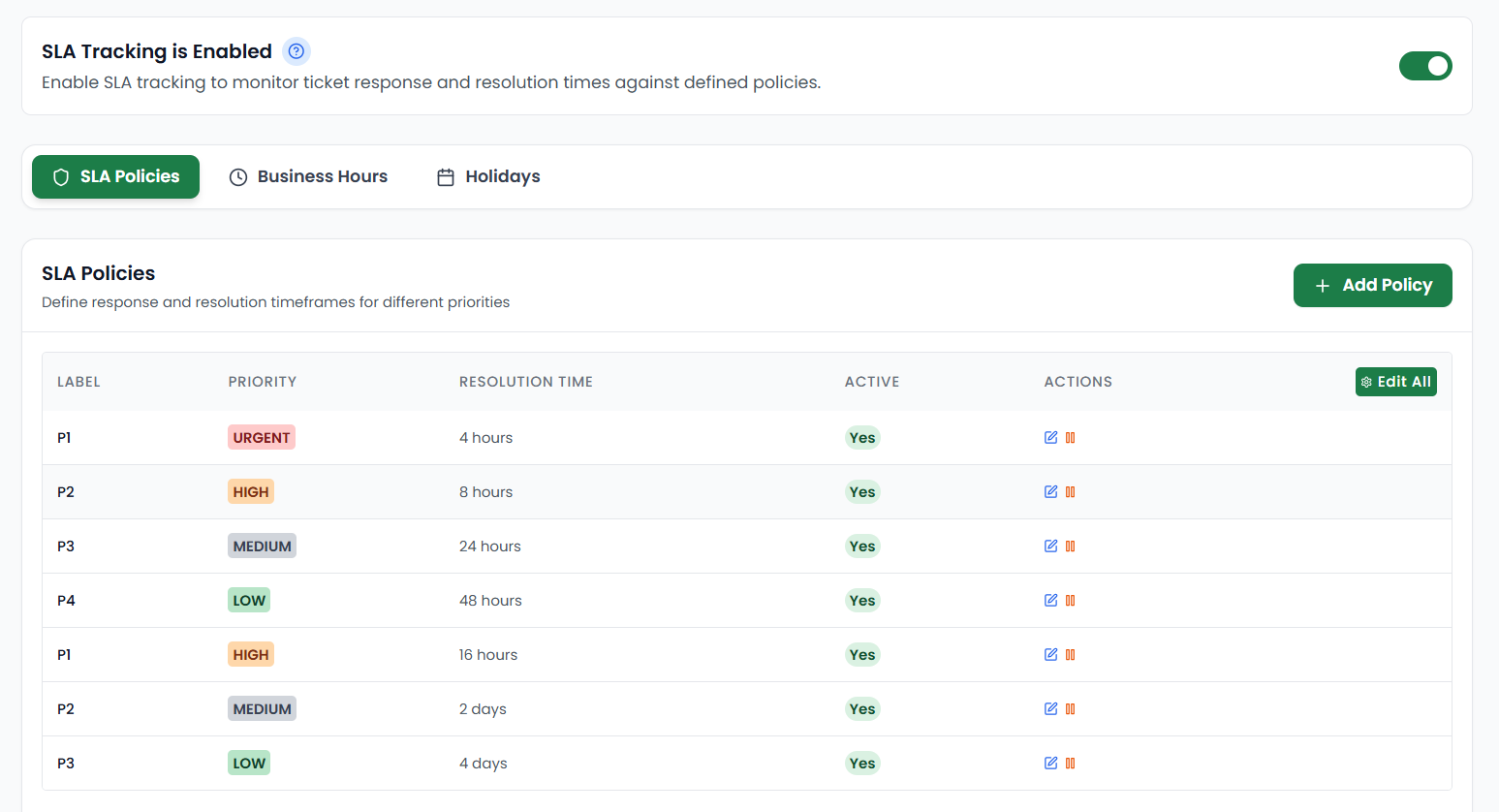
Create SLA plans for teams, queues, or ticket types so deadlines stay visible and overdue work is surfaced quickly.
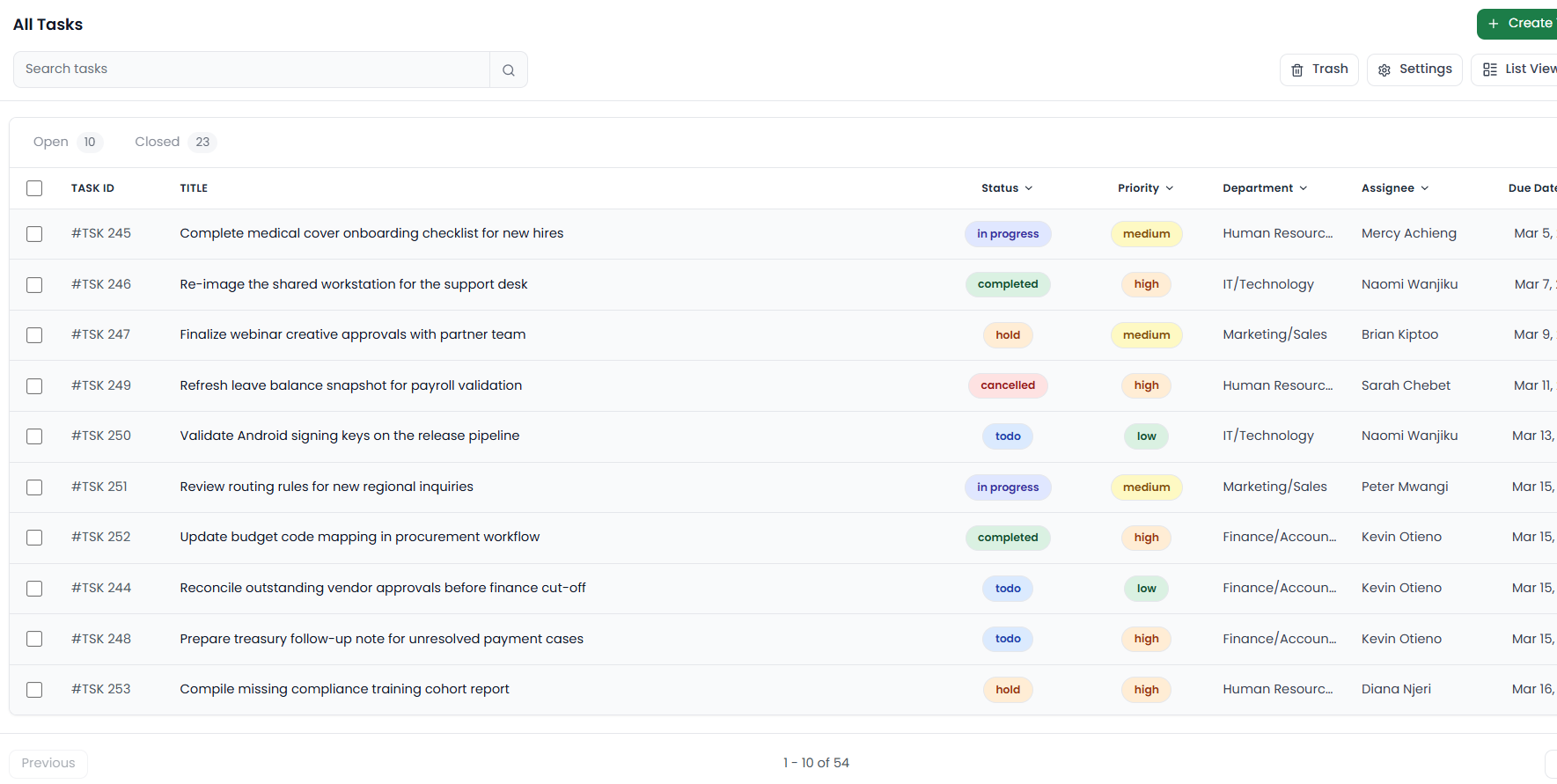
Link tasks directly to ticket threads so agents, managers, and supporting teams stay aligned on next actions.
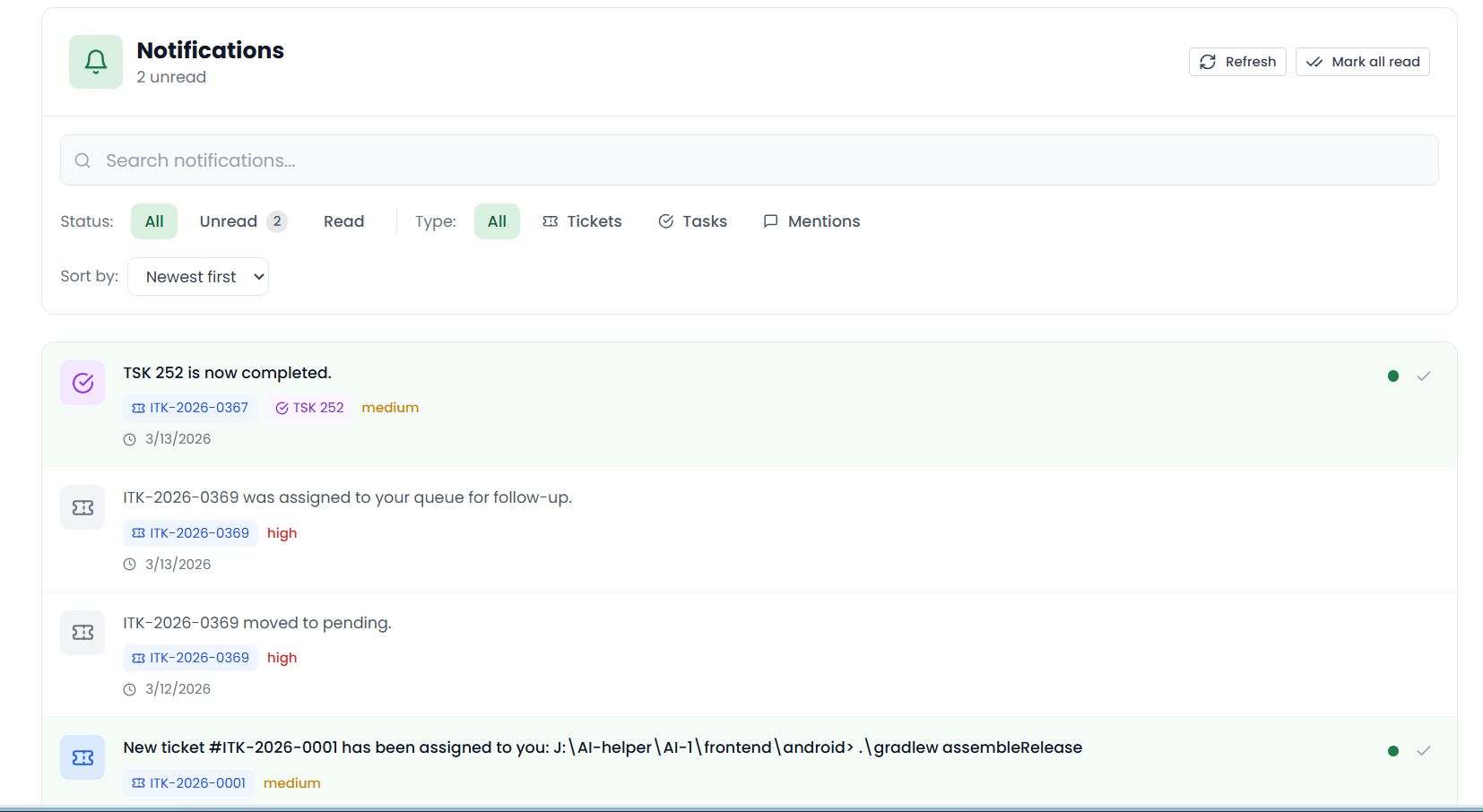
Use notifications and follow-up signals to surface mentions, assignments, updates, and internal coordination points.
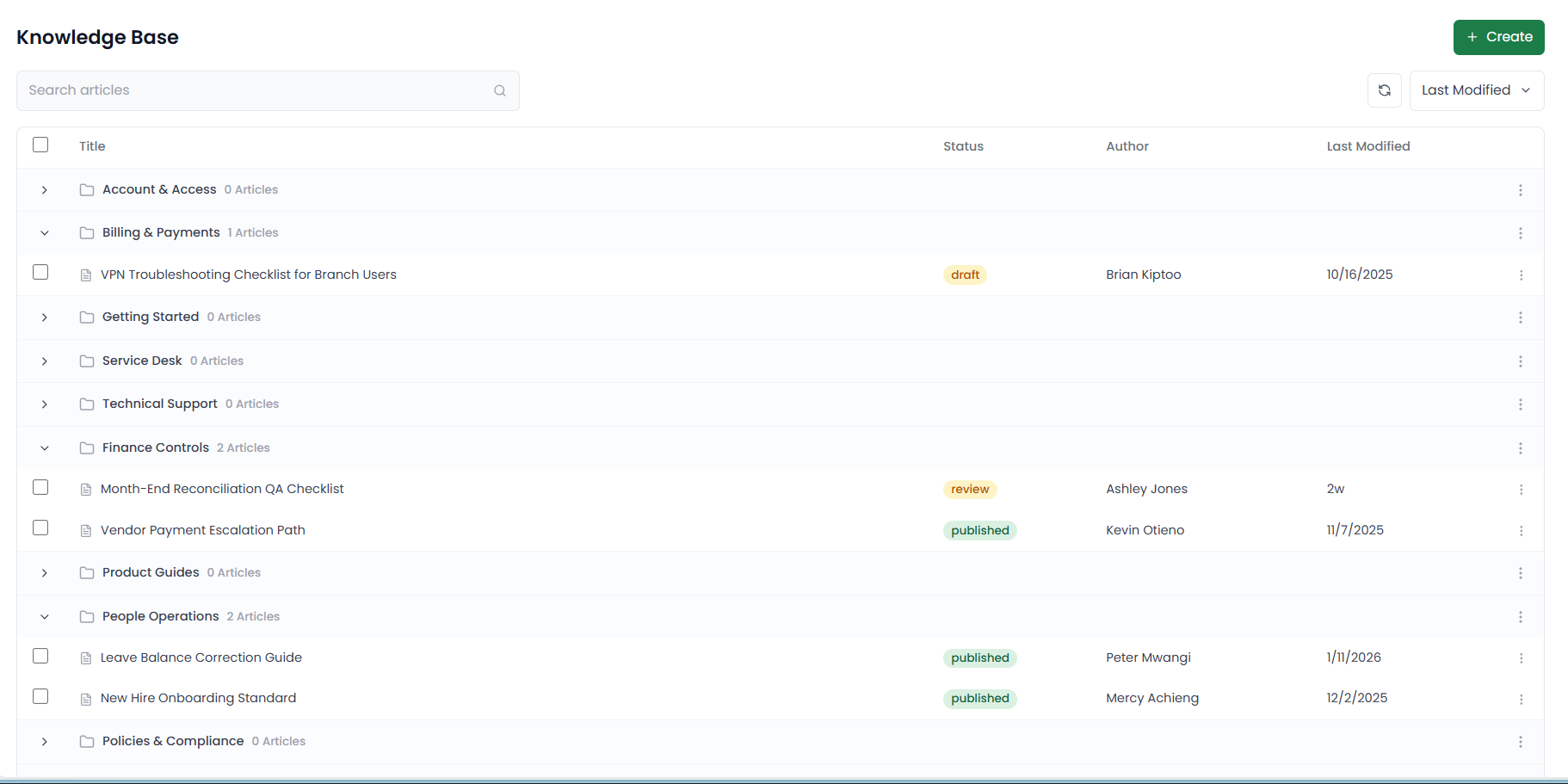
Publish help content and documentation so customers can solve common issues before they become repetitive tickets.
0
Lock-in contracts. Cancel anytime
5 min
Average workflow setup time
10+
Integrations in the ecosystem
99.9%
Platform uptime target
Browse the shared inbox, activity history, SLA setup, tasks, alerts, reporting, and knowledge base views in one place.
SafariDesk can be tested by forwarding support emails into a shared inbox without replacing your current CRM or email system. Start small, prove the workflow, and expand only when the team is ready.
A compact view of the shared inbox, workflow, automation, and reporting controls available on the platform.
Quick answers about setup, integrations, SLAs, current-system compatibility, and support reporting.
Start a free trial or talk to our team about your ticket volume, SLA requirements, and support process.